

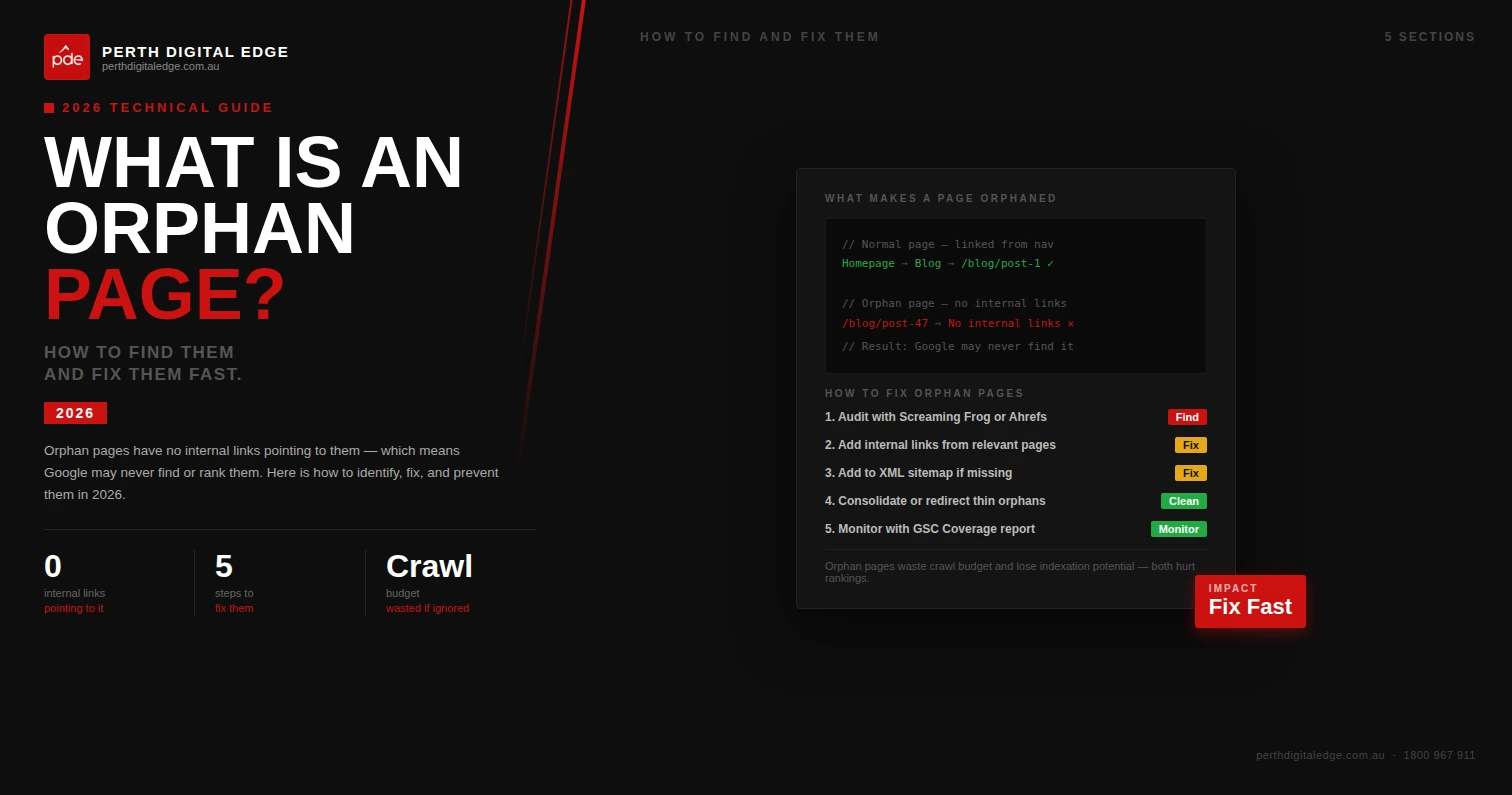
Every website accumulates pages that nobody can reach. They exist on the server, they may even be indexed by Google, but no internal links pointing to them from other pages on your site means they are effectively invisible to both visitors and search engine crawlers. These are orphan pages, and they are more common than most business owners realise.
We encounter orphan pages on nearly every site audit we conduct. A Perth retailer we worked with had over 200 orphan pages quietly draining crawl budget and creating missed opportunities for organic traffic. The pages existed, but nothing connected them to the rest of the site. Understanding what orphan pages are, why they matter, and how to fix orphan pages is essential for maintaining a healthy website structure.
What Is An Orphan Page?
An orphan page is any page on your website that has zero internal links pointing to it from other content on your site. It sits outside your site structure entirely. No navigation menu links to it. No blog post references it. No category pages connect to it. The only way someone could reach it is through a direct URL, an external link from other websites, or an old bookmark.
A true orphan page has no inbound links from anywhere within the same domain. It may still receive some traffic if external links from other websites point to it, or if it appears in your XML sitemap, but from your site’s internal architecture, it does not exist. This matters because internal links are one of the primary ways search engines discover and understand the relationships between web pages on your site.
Why Are Orphan Pages Bad For SEO?
Orphan pages create several problems that negatively impact your site’s performance in search engine results pages. The most immediate issue is discoverability. Search engine crawlers navigate your site by following links. If no links pointing to a page exist within your site, crawlers may never find it. Even if the page appears in your XML sitemap, crawlers prioritise pages that are properly integrated into the site structure through internal links.
Beyond crawling, orphan pages bad for SEO because they waste link equity. Every page on a well-structured site passes ranking power through its internal links. Orphan pages sit outside that flow entirely. They receive no link authority from your other pages and contribute nothing back. That is link equity evaporating into dead ends. We audited a WA professional services firm that had 85 orphan pages, each containing valuable content that had accumulated zero organic traffic because search engines could not find them through normal crawling.
Orphan pages also create a poor user experience. If visitors cannot navigate to a page, the content on that page serves nobody. And if search engines do somehow index an orphan page, it may appear in search results with low rankings and no supporting context, which reflects poorly on your site as a whole.
Why Do Orphan Pages Exist?
Orphan pages exist for several reasons, and understanding the common characteristics helps prevent new orphan pages from appearing. Site migrations are one of the most frequent causes. When businesses redesign their website or move to a new platform, old URLs often get left behind. The pages still live on the server, but the new site structure no longer links to them. Old page content remains accessible via direct URL but disconnected from everything else.
Content updates and restructures also create orphan pages. When category pages are reorganised, when blog posts are removed from archives, or when landing pages from finished campaigns are forgotten, the result is the same: pages that exist but that no other pages reference. Campaign page URLs built for specific promotions, test pages created during development, and pages for discontinued products are particularly common culprits. Even routine content updates can accidentally remove links to specific pages, turning previously connected content into orphans overnight.
How To Find Orphan Pages
You cannot fix what you cannot see. Identifying orphan pages requires comparing two datasets: the pages that exist on your server against the pages your site actually links to. Several tools and methods make this process straightforward.
Google Search Console And Search Analytics API
Google Search Console is a powerful starting point. Under the Pages report, you can see which URLs Google has indexed and which are receiving impressions in search results. Cross-reference this with a crawl of your site’s internal links, and any indexed URL that your crawler did not find through link following is likely an orphan. The Search Analytics API allows you to extract this data at scale, making it practical even for large sites with thousands of URLs. Search Console will also flag issues with URL discovery that may indicate orphan pages.
Screaming Frog And Site Audit Tools
Screaming Frog is the tool we use most frequently for this work. Start a new project by crawling your website normally, which maps every page reachable through internal links. Then upload a list of all known URLs from your XML sitemap, server log files, or Google Analytics. Screaming Frog highlights the pages exported from those sources that were not discovered during the crawl. Those are your orphan pages. Most dedicated site audit platforms offer similar functionality, allowing you to auto discover pages that fall outside your linked structure.
Server Log Files And Google Analytics API
Server log files record every request made to your server, including requests for pages that receive no internal links. Comparing server logs against your crawl data reveals pages that bots or users access via direct URL but that your site never links to. Google Analytics and the Google Analytics API can identify landing pages receiving organic search traffic despite having no internal links, which is a strong signal of an orphan page that Google has somehow indexed independently.
How To Fix Orphan Pages
Once you identify orphan pages, each one needs a decision. Not every orphan page deserves saving. The approach depends on whether the page contains valuable content or whether it is outdated, irrelevant, or redundant.
For important pages that contain valuable content and serve a clear purpose, the fix is simple: add internal links from relevant pages on your site. Find related blog posts, category pages, or service pages and link naturally to the orphan. This reintegrates the page into your website structure, allows search engine crawlers to find it, and starts passing link authority to it. We typically see previously orphaned pages begin appearing in organic search within four to six weeks of being properly integrated with supporting internal links.
For low value orphan pages, outdated pages, old URLs from discontinued products, or test pages that should never have been public, the best approach is removal. Either delete the page and set up a 301 redirect to the most relevant active page, or return a 410 status code to tell search engines the content is permanently gone. Do not simply remove links and forget about the URL. If the page is indexed, you need to actively tell search engines it no longer exists.
For pages that sit somewhere in between, consider whether consolidating the content into an existing page would be more effective than maintaining a standalone URL. Addressing orphan pages is not always about adding links. Sometimes it is about recognising that the page should not exist as a separate entity and merging its value into stronger, better-connected content.
How To Prevent New Orphan Pages
Prevention matters as much as remediation. We recommend building orphan page checks into your regular workflow. After every site migration, run a full crawl comparing old URLs against the new structure. During content updates, verify that pages being restructured retain their internal links. When creating new pages, ensure they are linked from at least one other relevant page before publishing. Continuously monitor your site with quarterly audits that compare your XML sitemap and server log files against your crawled link structure. This catches new orphan pages before they accumulate and negatively impact your organic traffic.
Frequently Asked Questions
Below are questions we commonly field about orphan pages and their impact on websites.
Can Orphan Pages Still Be Indexed By Google?
Yes. If an orphan page appears in your XML sitemap, has external links from other websites, or was previously indexed before losing its internal links, Google may still index it. However, without internal links supporting it, the page will typically have low rankings and minimal organic traffic. Google may also eventually drop it from the index if it determines the page is not properly integrated into the site.
Are All Orphan Pages Bad For SEO?
Most are. However, some pages are intentionally unlinked, such as specific landing pages designed for paid advertising campaigns where you do not want organic search traffic. The key distinction is intent. If a page is an orphan by design, that is a strategic choice. If it is an orphan by accident, it represents missed opportunities and wasted crawl budget. An example would be a campaign page built solely for a Google Ads destination, where internal linking is deliberately excluded.
How Often Should We Check For Orphan Pages?
We recommend a thorough check at least quarterly, and immediately after any site migration, major content restructure, or platform change. Sites that publish frequently or have large page counts should continuously monitor for new orphan pages as part of their ongoing site audit process.
Stop Losing Traffic To Hidden Pages
Orphan pages are one of the most overlooked issues in SEO, yet they directly affect whether search engines can find and rank your content. Every orphan page is a page that could be driving organic traffic, building link equity, and supporting your broader site’s performance, but instead sits disconnected and invisible.
We find and fix orphan pages as part of every technical audit we deliver. If you suspect your site has pages that are not pulling their weight, or if you have been through a site migration and want to ensure nothing was left behind, get in touch with our team. We will run a comprehensive audit, identify every orphan page, and recommend exactly how to address each one so your entire site works harder for your business.